




How to Integrate AI Into an App: What Founders and CTOs Need to Know
AI is shifting from an experimental feature to a core product capability. Founders and CTOs feel the pull: users expect more innovative experiences, and competitors are already building with intelligence at the centre.
The urgency is evident: the UK’s AI market is valued at £195.5 billion and projected to reach £663.5 billion by 2030.
Most leaders see AI as a way to help their products handle demanding tasks and lighten the load on users. The friction begins the moment they explore how to integrate AI into an app at scale. Costs rise, and security weak points may start to surface.
Teams push forward without a stable path, and that uncertainty slows the build.
We’ll now move through a set of steps that show how AI can be integrated into an app with clarity and control.
What Is AI Integration in an App?
AI integration in an app means linking your product’s data and actions to a decision engine that can interpret context and produce useful outputs. The intelligence becomes part of the app’s logic, guiding the system’s actions in real time.
As more companies move toward AI-powered mobile app development, these capabilities are no longer treated as optional add-ons. Instead, AI features are designed directly into the application’s core workflows — from personalisation and recommendations to automation and predictive decision-making — to deepen product value and user engagement. Depending on the use case, different types of artificial intelligence may be applied, ranging from rule-based systems to advanced generative models that learn and evolve with usage.
What Founders and CTOs Should Evaluate Before Integrating AI
Only 21% of UK firms currently use AI in production, leaving an opportunity for teams to invest in the right integration path. Those responsible for deciding how to use AI in a mobile app should evaluate a few essential factors before moving forward.
1. Objective clarity and data readiness
Define the specific product behaviour that needs improvement, and bring in AI to achieve a precise outcome and avoid deviations.
2. Infrastructure maturity, UX, and workflow design
Check whether the data flows through your systems without breaks or ambiguity. You should know the source, the path it follows, and the team responsible for keeping it accurate.
3. Talent and capability assessment
Review the environment where the model will run and the layer where users see its effect.
4. Cost, timeline, and risk appetite
Set boundaries around spending and delivery pace. AI scope may expand quickly if these limits remain vague, potentially exceeding your organisation’s risk tolerance.
5. Governance and ownership
Assign responsibility for decisions related to data, model behaviour, and compliance so that there’s consistency in the quality of output.
How to Integrate AI Into Your App?
AI integration begins when the app sends its signals into a decision layer that can interpret context and guide actions. The product’s data flows into this system, and the output shapes what users experience next.
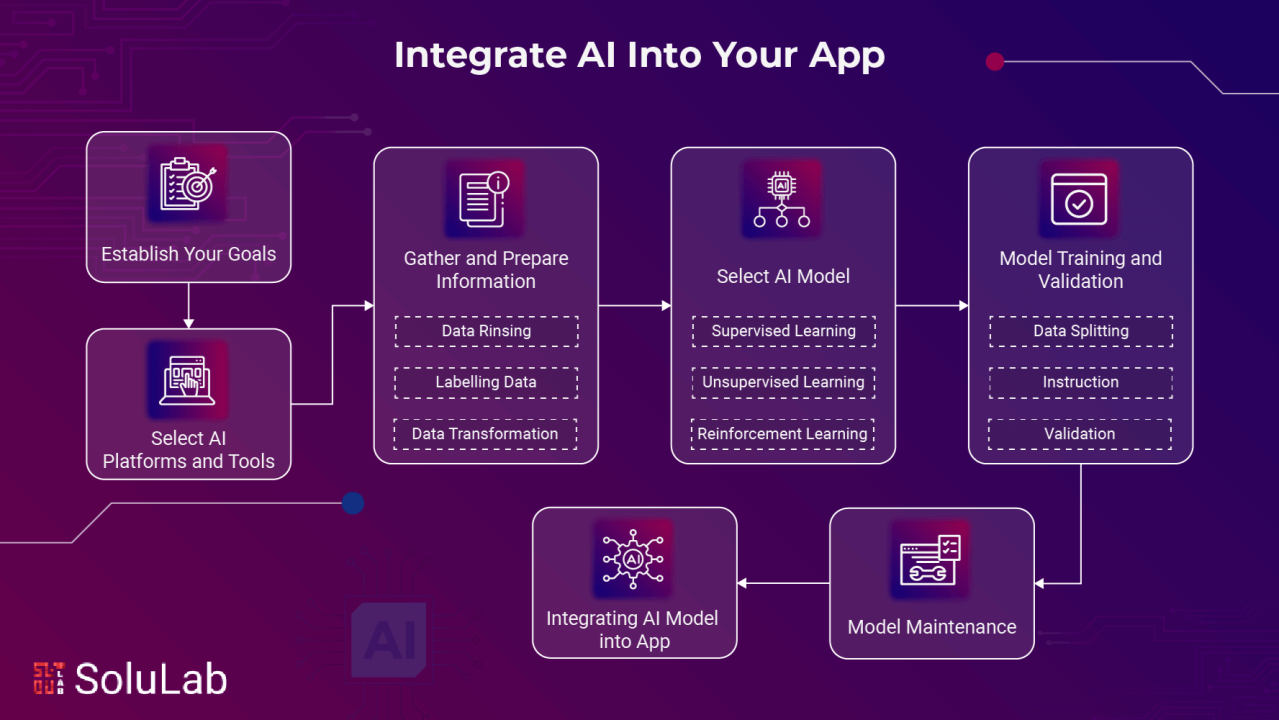
The work connects architecture at one level and workflow design at another. The integration that follows a tested flow will yield higher retention and conversion rates.
This is where teams learn how to use AI in a mobile app without disturbing established behaviour. It also defines the method for adding AI features in mobile apps that grow with the product, not against it.
Step 1: Create AI Feature’s Value Hypothesis
Start articulating the reason you want to integrate AI before writing a single line of code.
A value hypothesis explains the outcome that AI integrations must influence to ensure it connects to a metric that already guides product decisions.
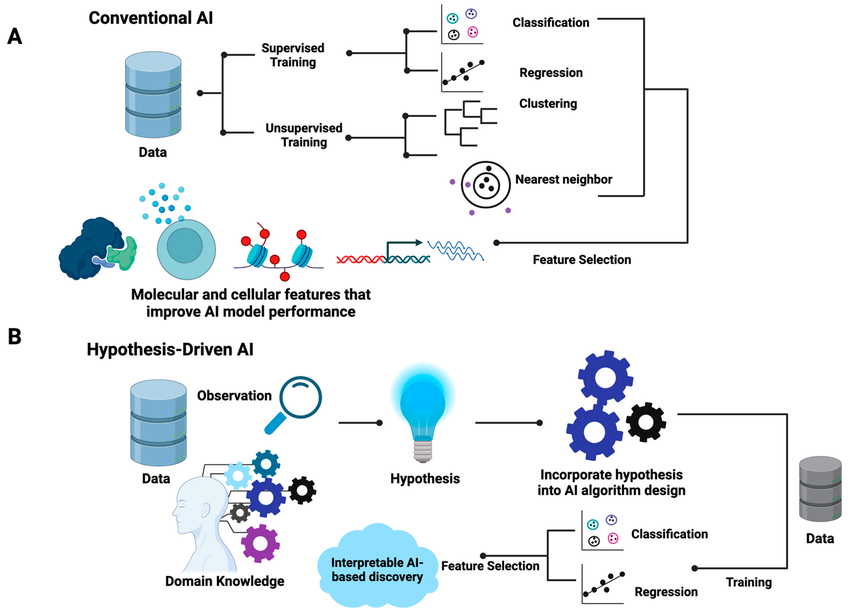
For example, frame the hypothesis as ‘a jump in returning users’ within a specific window, or as a conversion lift at a particular funnel stage. The number itself is less important than the clarity it brings to the build.
Successfully implement this step by:
- Starting with evidence to pull signals from behaviour logs or support notes
- Using a jobs-to-be-done lens that clarifies the task the user wants solved at that moment
- Defining the most minor meaningful shift in terms of micro-outcome that confirms progress
- Create one leading signal and one lagging signal
- Leading signal = feature is moving in the right direction
- Lagging signal = confirms the impact after adoption stabilises
Outcome at this stage will be a thin yet functional version of the feature. Test it without committing to a complete model, such as a simple rule-based filter or even a heuristic that mimics the eventual behaviour.
Step 2: Select the AI Approach (Build, Fine-Tune, or Use an API)
The choice of your AI method for an app is a business decision. Each integration path shapes how quickly you can move, how much you invest, and the level of ongoing work teams must absorb.
Every AI feature carries some expectations. Some call for tighter control, while others depend on predictable behaviour. And some may need flexibility over a long period.
The real question becomes simple:
What degree of control and long-term responsibility does this feature demand?
The answer helps clarify the intent. It will then help break the decision into practical aspects that move the conversation forward.
The following aspects float above the rest at this step:
A. Define the complexity of the task
Start describing the nature of the action the feature must perform. For example, does it rely on simple rule evaluation vs. pattern recognition that shifts with context? Complexity defines how much learning the model requires and whether the task can be handled with a lighter approach rather than a complete ML build.
B. Assess internal capabilities
Every AI feature relies on the people who keep it stable. This step looks at the people behind the feature and their capacity to run the pipelines, review outputs, and keep the system stable as the product evolves.
Two checks guide this assessment:
- Engineering depth
Confirm whether you have ML engineers or MLOps talent who understand model lifecycles and the logic behind production behaviour. - Operational steadiness
Ensure teams continuously monitor how the feature behaves in production.
C. Evaluate cost vs control
AI integration in an app demands financial commitments that increase as you move toward deeper ownership of that AI. This stage decides how much of the system you want to run internally vs. how much you want to source from external platforms.
Check for these:
- APIs: Best if you want speed, because the entry cost is low, but every request adds to usage fees.
- Fine-tuning: Works when you need behaviour that reflects your domain, but you pay more upfront to adapt the base model to your data. The advantage is steadier outputs and responses.
- Custom models: Best when precision matters because building your own model demands capital and infrastructure to sustain training, evaluation, and deployment.
Our AI development services can support this path with end-to-end architecture, model design, and deployment at scale.
Define trust and safety filters early
Set guardrails before the feature reaches real users. Early controls help contain unwanted behaviour and keep the system steady as usage rises.
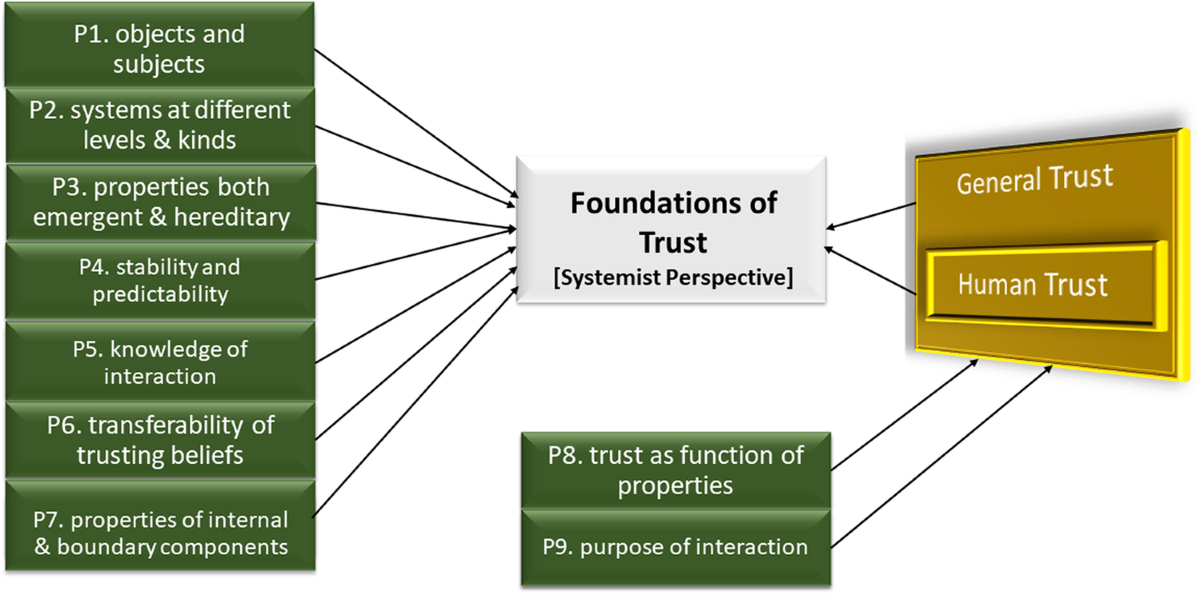
These decisions influence how the model responds in uncertain cases and how safely it handles unpredictable input.
Implement:
- Content filters to block sensitive categories that don’t belong in your product environment.
- Input validation that checks what the user sends into the system to prevent malformed prompts or hostile inputs that can distort the model’s behaviour.
- Hallucination boundaries limit the model’s freedom by defining what it can claim as fact.
Luminance offers a useful reference point here. Their legal team introduced an AI-led review system to handle large volumes of contracts. The shift reduced manual load and tightened review cycles as they realise value from clear scoping and a defined operating flow.
Step 3: Prepare the Data Layer for AI Functionality
AI depends on data it can trust. If the inputs lack structure or reliability, the feature will return outputs that break user expectations. Build a solid data layer first so the system has a firm base to learn from.
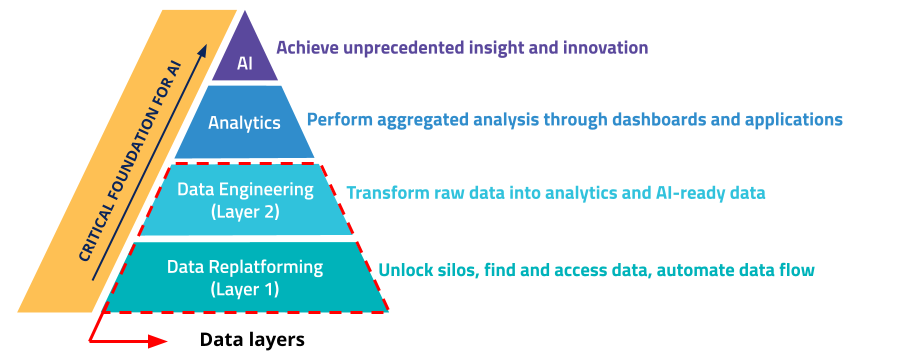
Here’s what you can do to define data layers in AI
Identify the data your AI feature depends on
Clear inputs set the boundary for the data layer, leaving anything outside the scope untouched. It prevents teams from building pipelines around information that never shapes the feature’s behaviour.
Check for
- What signals feed the model?
Identify core events or fields that influence decisions, such as user actions tied to a recommendation or a support ticket - Where does this data currently live?
Locate each source system and record which one is treated as the source of truth - What quality issues already exist?
Surface any weak segments in the data that create uncertainty for the model — outdated entries, inconsistent formats, or ambiguous values.
Run a lightweight data audit
A focused audit may surface problems early so you can either fix the implementation channel or narrow the use case before launch.
This step will focus on:
- Coverage: To check whether you have enough examples to reflect both everyday usage and edge conditions
- Consistency: Of shifts in schema or field formats across environments and data sources
- Accuracy: By testing a small sample to see if labels, outcomes, or target values actually match what happened in reality
- Permissions: Check whether the data includes restrictions on AI use, including the duration for which you can retain it
Evaluate real-time versus batch data needs
Some AI features work only when the system responds immediately after the user acts. Others remain effective even when data updates arrive later in grouped intervals. Differentiating this to decide how fast the infrastructure must move and how much the feature will cost to run.
You can implement:
- Chat-driven assistance for conversational or support copilots that require live inference
- Recommendation features based on feed ranking or content suggestion tools
- Risk and fraud checks by making high-stakes decisions, such as raising fraud flags
For example, Kortical’s email automation work shows how a well-prepared dataset enables AI to handle large volumes of messages while maintaining reply quality.
Step 4. Integrate AI Into the App Experience (UX + Backend Alignment)
Connect the model to the actual flow the user follows in the app where they act, decide, or request help.
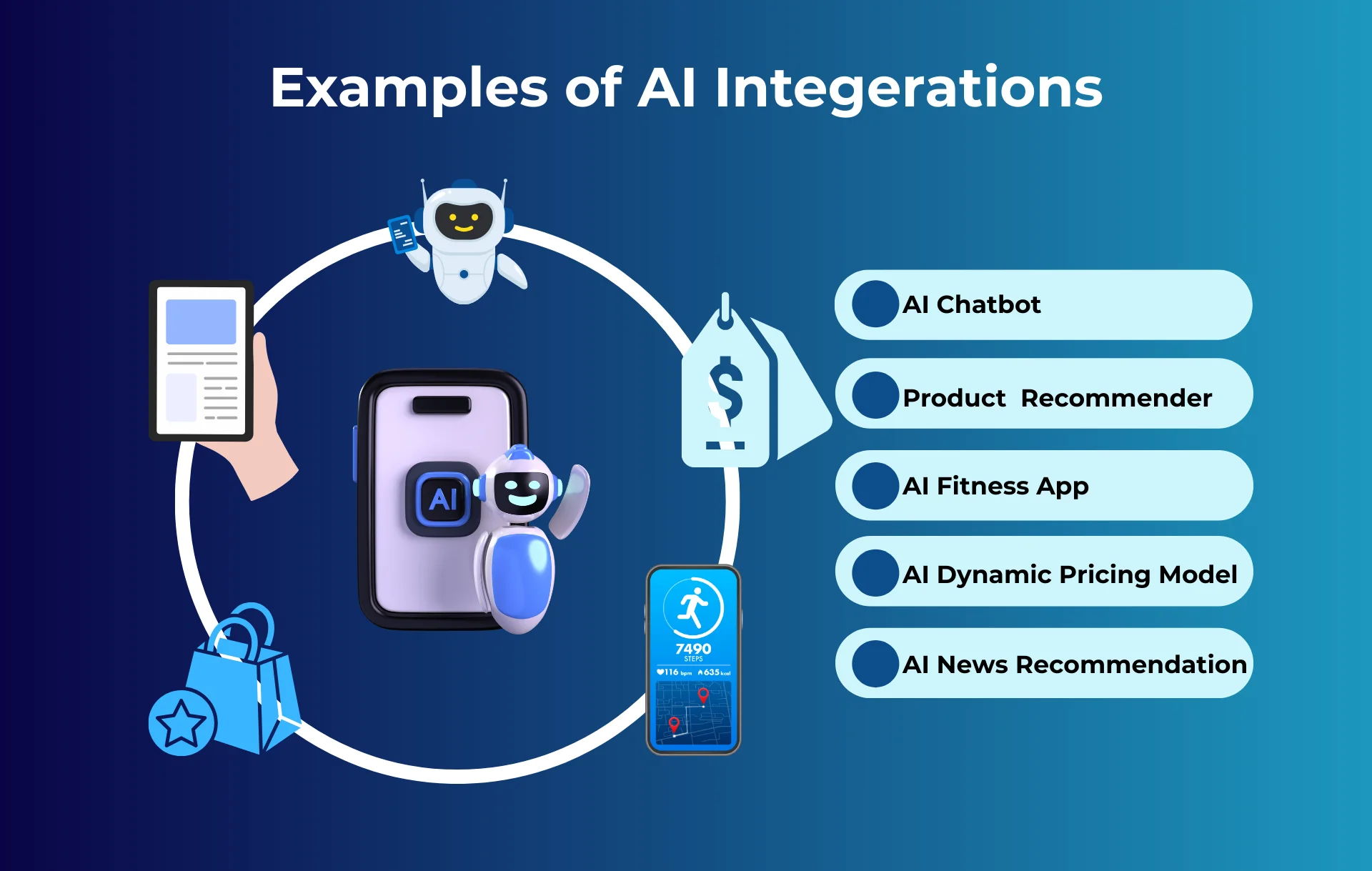
The crux of integrating AI into an app lies in identifying the touchpoints where users interact and introducing AI there, without breaking the rhythm.
Typically, you’ll consider the following actions:
Clarify the entry points
Locate the exact touchpoint where the user makes a choice, and integrate AI there so the system responds to a real need instead of running in the background without purpose. For example, a listing app may generate a draft description when a seller updates photos, where AI steps in as the user starts shaping the content.
Design for predictability and transparency
An AI feature becomes reliable when users can anticipate its behaviour. This applies to both the backend logic and the front-end moments where the output appears.
The system should explain enough of its state to keep trust intact without slowing the flow.
Which means users must be able to know:
- What the AI is doing: short status that reflects the model’s current action
- Inputs it depends on: a specific field or signal that shaped the suggestion
- How to correct it: offering users a focused way to adjust the input that influenced the outcome
M&S offers a valuable example for this stage of integration. They introduced an AI layer to shape product discovery through signals users were already giving the system. The feature linked personal details such as body shape, style preference, and purchase intent to a recommendation engine built into the shopping journey.
To train that engine, they collected input through a style quiz completed by more than 450,000 customers. The responses became structured signals that the model could interpret. The output then flowed into the catalogue experience, where suggestions updated as users moved through the site.
Step 5: Deploy, Monitor, and Keep the AI Performing (Lifecycle Governance)
Once the feature goes live, people introduce behaviours that the build never rehearsed. Some flows break expected sequences.
Others expose gaps in data quality or safety controls. These shifts move the system away from its tested state and demand a governance loop that keeps the feature stable under real use.
The diagram outlines how an AI feature moves through its lifecycle:
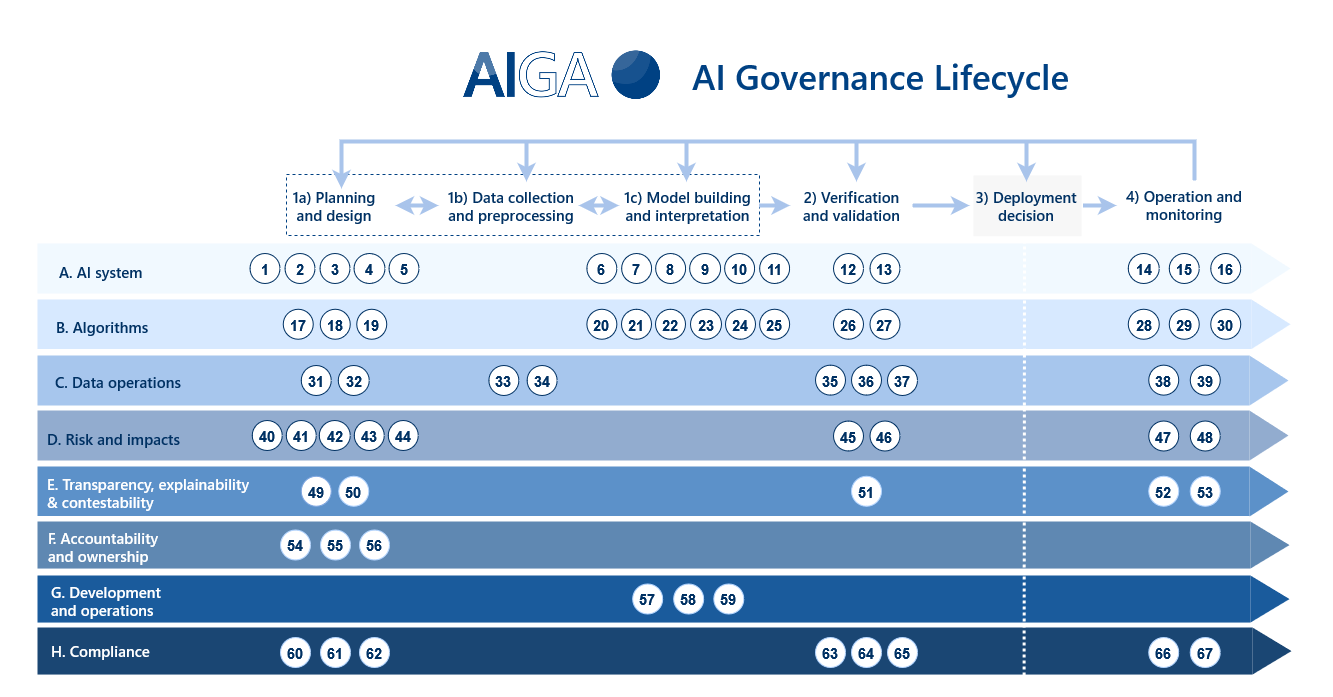
Here’s what to implement:
Define live-model KPIs before launch
Set the rules before the model touches real users, with live KPIs, to establish a baseline for judging behaviour in production. Outline what “healthy performance” means and remove assumptions during incident reviews.
Also, set acceptable boundaries so the feature has a controlled operating range by configuring:
- Latency: The maximum response time the model can take before the feature drops into a fallback or raises an alert.
- Accuracy or relevance: The lowest acceptable quality level for an output to remain useful before the decisions begin to degrade.
- Prompt failures: The rate at which the system produces empty, invalid, or unusable responses.
- Cost per inference: The ceiling for how much each prediction is allowed to cost. Crossing that mark turns usage into a financial burden and demands an adjustment.
Monitor model behaviour on a stable review cycle
Once the AI feature runs in production, people interact with it in ways the AI was never trained to handle. Their inputs vary in ways that break the neat patterns seen during testing.
These behaviours create new conditions that influence how the system responds inside the live workflow.
Track signals that expose friction:
- Stalled responses: Points where the feature hesitates longer than expected, which often indicates load imbalance or missing context.
- Irregular outputs: Cases where the answer deviates from the feature’s purpose and hints at confusion inside the logic.
- Escalations or overrides: Moments where users abandon the AI path and complete the task manually, revealing trust issues.
- Cost movement: Surges in compute or API usage that push the feature outside its intended financial range
Establish a retraining or fine-tuning cadence
Retraining fixes the drift that surfaces once usage diverges from the initial build. After you isolate where the feature slips, create a repeatable update loop that restores alignment and keeps the AI useful as the product moves into new patterns.
Support the feature through:
- New training data that brings in real cases created after launch, so the system learns from current usage patterns
- Prompt refinement, which needs adjusting the internal instructions so the feature follows a tighter decision path
- Incorporating live input that blends user phrasing and real-world scenarios into the next learning round
An AI feature only holds its value when it stays in sync with real usage. Once it enters production, behaviour shifts in ways the build never accounted for, so steady oversight keeps the system from drifting into unstable or expensive patterns.
A UK fintech learned this first-hand when continuous monitoring cut unnecessary fraud alerts by 82%. It just proves that lifecycle governance preserves accuracy and prevents the feature from becoming an operational drag.
Conclusion
AI only proves its worth when it behaves well under real usage and stays aligned with the decisions your product demands every day. Each step in this process provides the feature with a stable foundation and reduces the noise that typically increases as traffic rises. What you choose next determines how smoothly the integration moves into production and how quickly it starts returning value.
If you need an implementation plan shaped around your app’s constraints and outcomes, schedule a call with our AI integration team.